🟢 Player-Controlled Assist — you still press the buttons. Chipshot stabilizes consistency.
🎯
Advanced Shooting Engine
Chipshot’s core shooting system replaces inconsistent manual timing with adaptive input shaping, helping you hit cleaner releases across all game modes.
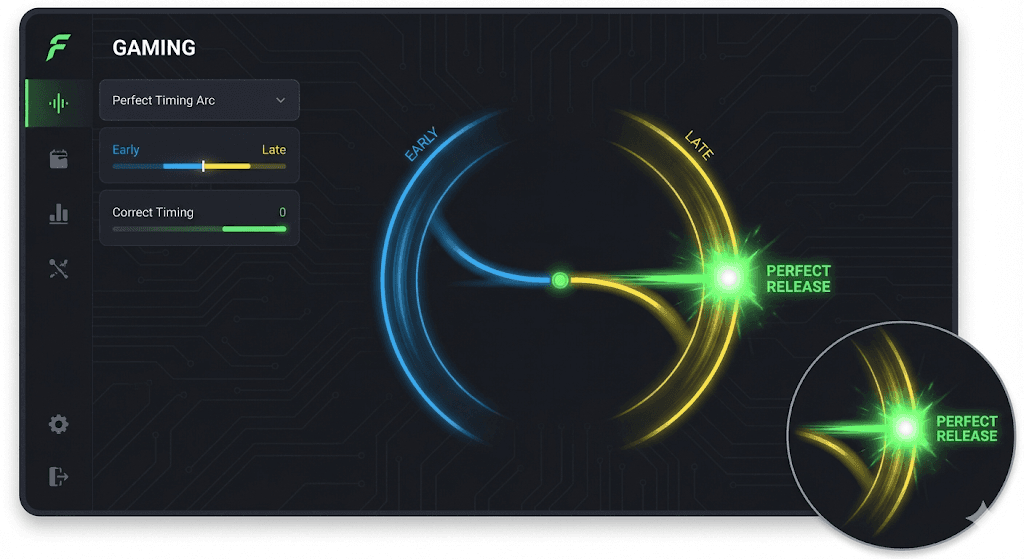
Auto-Green Engine
Reduces early and late releases by dynamically adjusting shot timing in real time.
What it does:
- Fine-tunes shot release timing dynamically
- Stabilizes releases during latency, frame drops, or animation changes
- Works across all supported shot inputs
Why it matters: NBA 2K timing changes constantly. Auto-Green minimizes the margin of error so your timing stays consistent.
Connected to: Tempo, Auto-Green Timing, Auto-Green Turbo.
🧠
AI Tempo Control
Smooths shot execution to prevent rushed or delayed releases.
What it does:
- Controls how fast or slow shot inputs execute
- Reduces “slightly early” or “slightly late” feedback
- Especially effective in Rec and Pro-Am
Why it matters: If you see “slightly rushed” or “slightly late,” tempo control is the fix.
Adjustable from: Zen OLED Menu → Tempo
Multi-Input Shooting Support
Shoot using the input you’re most comfortable with.
Supported inputs: X / Square, R1 / RB, Left Stick Click (LS), Right Stick Shooting (RS)
Why it matters: All shot inputs are synced to the same timing logic — no input disadvantage.
🏗️
Build-Based Presets
Different positions shoot differently. Chipshot treats them differently. Store up to 8 builds, each with its own shooting logic, tempo values, meter dunk timing, and assist behavior. Instantly switch builds without re-tuning everything.
8 Independent Build Slots
Each build stores its own tuning: shooting logic, tempo, meter dunk timing, and assist behavior. Example builds: Big (Inside), Stretch Big, Wing, Guard, Aggressive Variants, Clutch Mode, Custom Build.
Why it matters: Switch builds instantly without re-tuning everything.
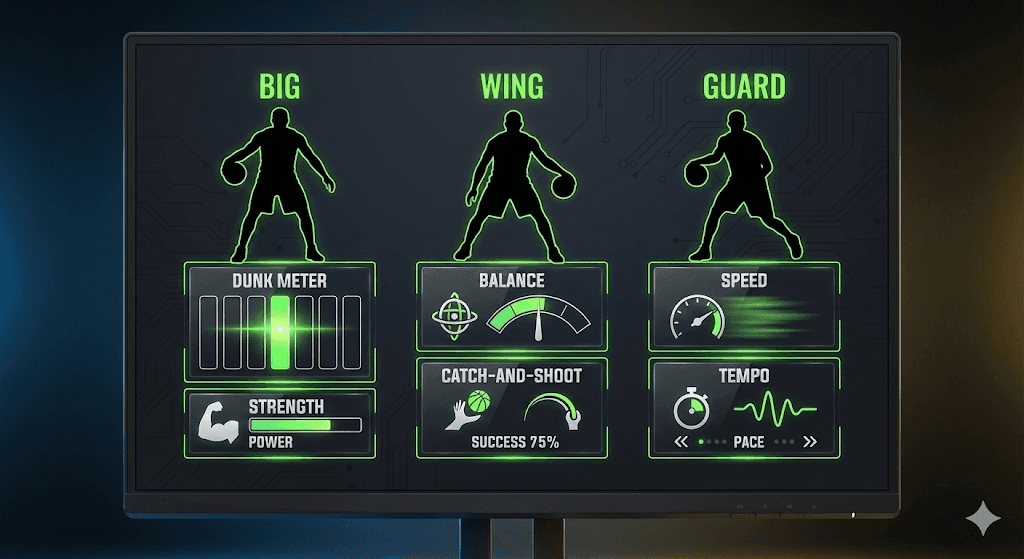
Role-Based Optimization
Each role is tuned intentionally.
- Bigs: stability, inside scoring, dunk timing
- Wings: balance, catch-and-shoot consistency
- Guards: speed, tempo, shot creation
🔥
Meter Dunk Assist
Meter dunks are timing-sensitive and inconsistent. Chipshot stabilizes them. Aligns dunk input execution to fill the meter cleanly. Reduces early or late dunk releases and preserves full manual control.
Adjustable Dunk Timing
Aligns dunk input execution to help fill the meter cleanly. What it does:
- Times dunk input execution
- Reduces early or late dunk releases
- Preserves full manual control
Why it matters: Missed meter dunks cost games in Rec and Pro-Am.
Input support: Button-based dunk triggers (customizable).
🛡️
Rec Assist Pack (Toggleable)
Designed specifically for Rec gameplay. Disabled by default. Enable or disable Rec-only assists instantly.
Rec Master Toggle
Includes:
- Defensive input smoothing
- Stamina shaping
- Rebounding assist logic
- Smart movement stabilization
Why it matters: Rec has different latency, spacing, and pacing than Park — this compensates without forcing actions.
🎮
Live OLED Control
All major features are adjustable without leaving the game.
Cronus Zen OLED Menu
Change settings in real time.
Adjust:
- Tempo
- Auto-Green values
- Build selection
- Assist toggles
- Dunk timing
Why it matters: No restarting. No reloading scripts. No guessing.
🔒
Stability & Safety
Patch-Resilient Design:
- No game file modification
- Input shaping only
- Designed to survive patches
Update System
Regular balance updates, feature expansions, and stability improvements. Why it matters: You keep playing while others break after updates.
💬
Private Community Access
You’re not buying a script — you’re joining an ecosystem.
Discord Support & Updates
- Step-by-step setup guides
- Update announcements
- Support channels
- Community presets
Get Chipshot Now / See How It Works
Adjustable Dunk Timing
Times dunk input execution and supports manual dunk control for any scenario. Align inputs perfectly to support consistent results in Rec and Pro-Am.
🏗️
Build
Role

Dunk
🔥